What should an 8K receiver do besides connect your sources to your TV? It should power the speaker layout you want, pass your gaming signals without unnecessary restrictions, and help manage the effects of your room on sound. The best choice depends on those capabilities—not simply the resolution printed on the box.
An 8K receiver is an AV receiver that supports specified 8K HDMI video signals, not a separate audio-quality standard. For most households, Dolby Atmos, reliable 4K/120Hz switching, room correction, and future expansion matter more than native 8K playback. The five options below cover different priorities, from straightforward seven-channel systems to substantially more expandable home theaters.
Top 8K Receivers
These recommendations focus on documented capabilities and practical system fit rather than claimed listening-test results. Retail availability, customer ratings, and promotional offers change, so check the exact model, seller warranty, and return policy before purchasing.
Yamaha RX-A8A AVENTAGE 11.2-Channel AV Receiver – 8K and 4K/120

- AVENTAGE: our top-tier line featuring premium build quality and sound...
- 11.2-channel AV receiver with Zone 2/3/4. Dolby Atmos, DTS:X and Auro-3D...
- 7-in/3-out HDMI with HDCP 2.3 and eARC. All HDMI inputs support 8K60 and...
The Yamaha RX-A8A AVENTAGE is the premium recommendation for buyers who want an 11-speaker immersive system powered from one receiver.
Its 11 amplified channels support 7.1.4 without an additional power amplifier. That is the clearest practical advantage over the nine-channel overall pick: the full set of ear-level and height speakers can connect directly to the receiver.
The RX-A8A also provides seven HDMI inputs supporting its advertised 8K/60Hz and 4K/120Hz capabilities, subject to supported formats and current firmware. This gives it substantially more high-refresh-rate source capacity than receivers with only two or three suitable connections.
For audio setup, Yamaha includes YPAO R.S.C. with multipoint measurement, precision equalization, and angle-related measurement capabilities. Its Surround:AI processing is another option for listeners who want adaptive sound-field processing, although it should not be confused with correcting room acoustics.
Full multichannel preamp outputs provide flexibility if you later want an external amplifier for demanding speakers. MusicCast, AirPlay 2, network playback, and a phono input help the receiver function as more than a movie-only component.
There are meaningful limitations. Its size, weight, ventilation requirements, and premium positioning make it excessive for a simple 5.1 setup. Buyers specifically seeking Dirac Live will not find it here, and its two subwoofer outputs do not offer the flexibility of more elaborate four-subwoofer management platforms.
A higher price, larger transformer, or particular DAC specification does not automatically guarantee an audible improvement in every room. The justification is channel capacity, connectivity, configuration options, and system integration.
Total-cost consideration: Eliminating the need for a separate two-channel amplifier can narrow the complete-system gap versus some nine-channel alternatives.
Verdict: Buy the RX-A8A for an integrated 7.1.4 system with numerous modern HDMI sources. Skip it if you will not use its additional channels or connectivity.
Onkyo TX-RZ50 9.2-Channel THX Certified AV Receiver

The Onkyo TX-RZ50 makes the strongest overall case for buyers building an expandable Dolby Atmos system who also want capable room correction without purchasing a separate basic calibration license.
Its nine amplified channels support layouts such as 5.1.4 or 7.1.2 directly. Processing extends to 11.2 channels, allowing a 7.1.4 layout with an additional two-channel power amplifier. That distinction matters: processing creates the required audio signals, while amplifier channels provide the power that drives passive speakers.
The main attraction is included Dirac Live Room Correction Full Bandwidth. It measures the speaker-and-room response and allows correction across the audible frequency range. Compared with simpler automatic setup systems, it offers more control over the response you want at the listening positions.
However, included Dirac Live does not mean every Dirac technology is included. In particular, do not assume the TX-RZ50 includes—or can necessarily be upgraded with—Dirac Live Bass Control or Active Room Treatment. Those are separate capabilities that require explicit hardware compatibility and licensing.
Other advantages include Dolby Atmos and DTS:X decoding, full multichannel preamp outputs, and a broad network-streaming feature set. Its three principal high-bandwidth HDMI inputs make it useful for multiple gaming sources, although the remaining inputs should not be treated as equivalent.
The limitations are equally important. Its two subwoofer connectors do not provide the same independent management as receivers with separately adjustable subwoofer channels. Dirac setup also takes more attention than a quick single-position calibration.
Total-cost consideration: Budget for an external amplifier if 7.1.4 is the goal. A suitable measurement microphone and careful measurement process also deserve planning.
Verdict: Buy the TX-RZ50 for expandable immersive audio and included Dirac Live. Skip it if independent multi-subwoofer control or the simplest possible setup is your priority.
YAMAHA RX-V6A 7.2-Channel AV Receiver with MusicCast
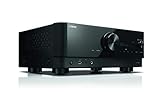
- HDMI with HDCP 2.3 and eARC (7 in / 1 out)
- 4K60, 4K120AB and 8K60B HDMI 2.1 with HDCP 2.3 and eARC (Three 8k...
- Wi-Fi, Bluetooth, AirPlay 2, Spotify Connect, Voice Control and MusicCast...

The Yamaha RX-V6A is the budget-oriented choice in this selection for buyers who want actual Dolby Atmos speaker playback, network music, and seven amplified channels without stepping into a larger processing platform.
Its practical ceiling is 5.1.2 Atmos or conventional 7.1 surround. You can add a second powered subwoofer, but the receiver does not gain additional amplified speaker channels. It cannot become a 5.1.4 or 7.1.4 processor simply by adding an external amplifier.
For everyday use, its combination of MusicCast, AirPlay 2, Spotify Connect, Dolby Atmos, and DTS:X is appealing. MusicCast is particularly useful if you already own compatible Yamaha speakers or want coordinated playback in other rooms. Network playback also avoids making a phone’s Bluetooth connection the center of the music system.
Yamaha’s YPAO with Reflected Sound Control and multipoint measurement helps establish speaker levels, timing, and equalization. It is useful for bringing a mixed-use living-room system into balance, although it does not offer the same correction workflow as Dirac Live.
The largest qualification is HDMI compatibility. The RX-V6A’s three higher-bandwidth inputs have a 24Gbps ceiling, and early production units were subject to Yamaha’s HDMI board replacement program. Supported high-resolution modes also depend on firmware and signal format.
That makes this a more conditional gaming recommendation than its “8K” label might suggest. A console connected directly to a capable television, with audio returned through eARC, may be the more convenient arrangement.
Total-cost consideration: Leave room for suitable HDMI cables and verify the hardware history of any used, refurbished, or older-stock unit before buying.
Verdict: Buy the RX-V6A for a straightforward 5.1.2 theater and MusicCast integration. Skip it if unrestricted high-bandwidth HDMI switching or expansion beyond seven speaker channels is essential.
Denon AVR-S970H 7.2 Channel 8K UHD AV Receiver (90W x 7), Wi-Fi, Bluetooth

- ELEVATE YOUR HOME ENTERTAINMENT - At 90W X 7, the AVR-S970H AV Receiver...
- GET THE MOST OUT OF YOUR 8K TV - Enjoy highest quality 3D audio and video...
- NEXT-GEN GAMING - Enjoy smooth, lag-free gaming with spectacular imaging...
The Denon AVR-S970H is the most straightforward gaming recommendation here for buyers who need three capable HDMI inputs but do not need an expandable 11-channel theater.
Its six HDMI inputs include three supporting the advertised 8K/60Hz and 4K/120Hz modes. Those higher-bandwidth connections are the ones to reserve for devices such as a PlayStation 5, Xbox Series X, or compatible gaming PC. Older consoles, disc players, and most streaming devices can use the remaining inputs.
Support for variable refresh rate and Auto Low Latency Mode addresses two distinct gaming needs. VRR helps coordinate refresh timing between a compatible source and display. ALLM can request the television’s low-latency mode. Neither feature makes an incompatible television support high-refresh-rate gaming.
The AVR-S970H has seven amplified channels, with Dolby Atmos and DTS:X decoding. Its practical immersive layout is 5.1.2; alternatively, it can power a conventional 7.1 system. Its dual HDMI monitor outputs are useful when a room contains both a television and projector, although simultaneous output can introduce shared-format limitations.
For music, HEOS, AirPlay 2, and Spotify Connect provide flexible network playback. Included Audyssey MultEQ handles automatic speaker measurement and correction, but it is not the more sophisticated MultEQ XT32 system found higher in Denon’s range.
The principal compromises are expansion and calibration. There are no full main-channel preamp outputs for turning this into a larger externally amplified theater, and its two subwoofer connections should not be mistaken for fully independent bass-management channels.
Total-cost consideration: The receiver can power a complete 5.1.2 layout without an additional amplifier, making the overall system easier to budget.
Verdict: Buy the AVR-S970H for multiple gaming sources and a seven-channel speaker system. Skip it if four height speakers, advanced subwoofer management, or future external amplification are central to your plan.
How to Choose an 8K Receiver
8K Pass-Through Versus 8K Upscaling
1. 8K pass-through: An 8K receiver accepts a compatible 8K signal from a source and sends it to an 8K display.
2. 8K upscaling: A receiver converts lower-resolution video into an 8K output signal.
These capabilities are different, and neither guarantees that every HDMI port supports every 8K format.
Upscaling cannot recreate missing native detail. It estimates additional pixels from the original picture, and the result depends on the processing and source material.
For a 4K television, receiver-based 8K upscaling offers no direct display-resolution benefit. The television still shows a 4K image. Even with an 8K display, the TV’s own processing may be the preferred option.
Prioritize accurate pass-through of the signals you actually use. A receiver that handles your console’s 4K/120Hz HDR output reliably is more useful than one advertising elaborate upscaling you never enable.
HDMI Inputs for Your Source Devices
Count high-bandwidth sources separately from ordinary HDMI sources. A streaming box playing 4K movies usually does not need the same input capability as a gaming PC outputting 4K at 120Hz.
A practical list might include:
- One high-refresh-rate input for each current-generation console.
- One for a gaming PC.
- One spare for future equipment.
- Additional standard inputs for a disc player, streaming device, or cable box.
Do not assume every input supports the same signals. Receivers frequently combine a few high-bandwidth ports with several more limited connections.
Bandwidth alone is not the complete answer either. Check resolution, frame rate, HDR, chroma subsampling, bit depth, and VRR together. The most demanding combination may exceed what a port supports even though each feature appears individually in the marketing.
Output requirements also matter. A second display can complicate HDMI negotiation, particularly when a projector and television support different resolutions or HDR formats. If one display unexpectedly limits the other, test with only the active display connected.
Amplified Channels for Your Speaker Layout
Speaker-layout notation describes where the channels go. In 5.1.4, the first number means five ear-level speakers, the middle number means a subwoofer channel, and the final number means four height speakers.
The amplifier requirements are:
- 5.1.2: Seven amplified speaker channels.
- 5.1.4: nine amplified speaker channels.
- 7.1.2: Nine amplified speaker channels.
- 7.1.4: Eleven amplified speaker channels.
Powered subwoofers have their own amplification and do not consume the receiver’s ordinary speaker-amplifier channels.
A receiver advertised as nine-channel may process eleven channels, but that is not guaranteed. Check both specifications. If it processes eleven but powers nine, suitable preamp outputs and an external amplifier can complete the layout.
Adding an amplifier to a seven-channel receiver does not automatically unlock four height speakers. The processing must support that layout in the first place.
For most buyers, choosing the intended speaker arrangement before choosing the receiver prevents the most expensive compatibility mistake.
Room Correction for Your Listening Space
Room correction helps manage the frequency-response changes caused by speakers interacting with walls, floors, furniture, and listening positions. It also establishes channel levels and timing.
Audyssey MultEQ provides automatic measurement and correction, while Audyssey MultEQ XT32 offers substantially finer filter resolution. They should not be treated as interchangeable simply because both carry the Audyssey name.
Dirac Live provides a measurement and target-curve workflow with frequency-response and time-domain correction. Its usefulness depends on supported hardware, the included license tier, and careful measurements.
Manufacturer-specific systems such as Yamaha YPAO and Sony’s Digital Cinema Auto Calibration IX perform their own combinations of measurement, equalization, and spatial processing. Feature depth varies by model.
Calibration cannot fix everything. It cannot fully repair a deep cancellation caused by poor placement, eliminate a long room echo, or make an obstructed center speaker radiate clearly through furniture.
Start with sensible placement and a quiet measurement session. Use a stable microphone support rather than holding the microphone. After calibration, review speaker sizes, crossover settings, and unusually large level adjustments before accepting every result automatically.
Independent Subwoofer Outputs
Two subwoofer sockets do not necessarily mean two independently managed subwoofer channels.
With parallel outputs, both subwoofers receive essentially the same bass signal. Individual adjustment may then depend on controls built into the subwoofers or an external processor.
Independent management can provide separate level and distance settings, and some systems add more sophisticated equalization and optimization. The details matter more than the connector count.
This is particularly important across several seats. Two well-placed subwoofers can reduce seat-to-seat variation, but poorly integrated subwoofers can also create new cancellations.
Similarly, Dirac Live Room Correction is not the same as Dirac Live Bass Control. The latter requires explicit receiver support and its own licensing arrangement where offered.
If bass consistency is a major goal, plan the subwoofer positions, adjustment options, and measurement method before deciding which receiver offers the best complete solution.
Power Ratings and Speaker Demands
Power specifications only support fair comparisons when the measurement conditions match.
Look for:
- Speaker impedance: A rating into six ohms is not directly equivalent to one into eight ohms.
- Frequency range: A full-bandwidth measurement is more informative than a single-frequency figure.
- Distortion: More distortion can make an advertised power number larger.
- Channels driven: Two-channel output does not describe simultaneous output from every amplifier channel.
Speaker sensitivity, impedance behavior, listening distance, desired playback level, bass management, and ventilation all affect the real demand.
Room size alone is not enough to select amplification. A listener close to efficient speakers may need less power than someone farther away using speakers with difficult impedance dips.
Redirecting deep bass to powered subwoofers can reduce strain on the receiver and main speakers. That does not make amplifier capability irrelevant, but it often matters more than chasing a small difference in advertised wattage.
Leave the receiver adequate airflow, and follow the manufacturer’s speaker-load guidance.
Preamp Outputs for Future Expansion
Full-channel preamp outputs let a receiver send decoded, volume-controlled audio to external power amplifiers.
They are valuable when you want to:
- Add amplification for channels the receiver can process but cannot power.
- Use a separate amplifier for demanding front speakers.
- Change amplification without immediately replacing the processor.
Subwoofer-only outputs do not provide this flexibility. Neither does a fixed-level recording output.
Zone outputs are another separate category. Their routing and volume behavior may not allow them to substitute for missing main-zone channel outputs.
Before buying an amplifier, confirm the receiver’s supported speaker assignment, which channels can use the pre-outs, and whether internal amplifiers can be reassigned as intended.
External amplification also adds cost, cabling, shelf space, and another component needing ventilation. It is useful when it solves a specific limitation—not automatically an improvement every system needs.
Streaming Support for Your Music Ecosystem
Choose streaming features around how you actually play music.
HEOS suits compatible Denon-based multiroom systems. MusicCast serves a similar role within Yamaha’s ecosystem. AirPlay 2 is convenient for compatible Apple devices, while Spotify Connect lets supported receivers receive playback without using Bluetooth as the audio transport.
The selected Onkyo platform also offers features such as Chromecast built-in and Works with Sonos integration. However, Works with Sonos does not mean the receiver contains a complete Sonos player; integration normally involves an additional Sonos component.
Bluetooth is useful for quick sharing, but it is not equivalent to network streaming. It uses a different transport path, supported codecs vary, and the source device generally remains involved in playback.
Also check the exact music service you use. Platform support, subscription requirements, regional availability, and firmware can change.
Someone seeking the best AV receiver for audiophiles should consider speaker matching, room response, bass integration, and convenient access to their music—not just DAC branding or maximum supported file resolution.
Connecting an 8K Receiver to Your TV
Source-to-Receiver HDMI Connection
The standard connection path is:
Source → receiver → television or projector
This lets the receiver decode audio directly while passing the picture to the display. It also centralizes source switching and often simplifies everyday operation.
Both HDMI links must support the intended signal. Replacing the console-to-receiver cable will not solve a bandwidth problem caused by the receiver-to-TV cable.
For demanding 8K or 4K/120Hz connections, choose cables carrying Ultra High Speed HDMI Cable certification. Verify the certification rather than relying on vague “8K compatible” wording.
Long cable runs need extra care. Active optical cables may be directional, and their support for eARC or other functions should be checked explicitly.
After wiring:
1. Update source, receiver, and TV firmware.
2. Enable the appropriate enhanced HDMI input mode.
3. Enable the TV’s relevant high-bandwidth setting.
4. Select the desired resolution, refresh rate, HDR, and VRR options.
5. Check what the source reports as available.
Start with the simplest connection chain. Wall plates, adapters, switches, and capture devices can introduce additional restrictions.
Source-to-TV Connection With eARC
The alternative connection path is:
Source → television → receiver through eARC
This can be the better route when a television accepts a gaming signal that the receiver cannot pass. The picture avoids the receiver, while compatible audio returns through the TV’s eARC connection.
It is not a universal workaround for every audio format. Supported passthrough depends on the television, source device, receiver, and settings.
For example, a television may pass Dolby formats but not DTS, or it may handle multichannel PCM differently from compressed bitstreams. TV apps can also have different audio capabilities from devices connected to the TV’s HDMI inputs.
Use the TV and receiver ports specifically labeled eARC, enable eARC, and select the appropriate passthrough setting where available. Ordinary ARC has more limited audio transport capability.
If sound is missing, first test a simple supported format. Then work upward to multichannel PCM or lossless bitstreams. This separates a connection problem from a format-compatibility problem.
Check lip synchronization too. Direct-to-TV video can change the timing relationship between the picture and returned audio, particularly when switching between games and movies.
Conclusion
A well-chosen 8K receiver should match the signals, speakers, and listening habits of the household rather than serve as an expensive resolution badge. Start with the speaker layout, count the high-bandwidth HDMI connections you need, and decide how much calibration and expansion flexibility will genuinely help. Then consider the complete installation, including cables, amplification, subwoofer integration, and ventilation. Reliable compatibility and a carefully configured system will usually contribute more to daily enjoyment than unused headline features.
FAQ
Is an 8K receiver worth buying if I only have a 4K TV?
An 8K receiver can be worthwhile with a 4K TV if you need compatible 4K/120Hz switching, additional immersive-audio channels, better calibration, or expanded connectivity. The 8K label alone is not a reason to upgrade. Keep an existing receiver if it already supports your required video signals and speaker layout.
Do I need an HDMI 2.1 receiver for PS5 or Xbox Series X?
You need a receiver that supports the console’s specific video signals only when routing video through it. Alternatively, connect the console directly to a compatible TV and return audio through eARC. Check 4K/120Hz, VRR, HDR, and audio-passthrough support individually rather than relying on the HDMI version label.
Does an 8K receiver improve sound quality?
The 8K label describes video capability, not audio quality. Sound depends on amplification, decoding, calibration, speaker integration, room acoustics, and setup. A new receiver may improve results through better bass management or additional channels, but accepting higher-resolution video does not itself make music or movie soundtracks better.
How many receiver channels do I need for Dolby Atmos?
A 5.1.2 Dolby Atmos layout needs seven amplified speaker channels, 5.1.4 needs nine, and 7.1.4 needs eleven. Powered subwoofers use their own amplifiers. Some receivers process more channels than they amplify, allowing an external amplifier to complete a larger layout when the necessary processing and preamp outputs are available.
Can every HDMI input on an 8K receiver handle 4K at 120Hz?
No. Many receivers provide high-refresh-rate support on only selected HDMI inputs. Even capable inputs can have bandwidth, color-format, or bit-depth restrictions. Check the manufacturer’s supported-signal documentation, use suitable cables, and enable the required enhanced input setting on both the receiver and television before troubleshooting the source.