What are Budget Studio Monitors?
Budget studio monitors are affordable speaker systems designed to provide accurate sound reproduction for music production, mixing, and critical listening without the high price tag of professional-grade monitors. These monitors aim to deliver a flat frequency response, meaning they reproduce audio signals as faithfully as possible without coloration or exaggeration of any frequency range. This accuracy is essential for producers and engineers who need to hear every detail in their recordings to make informed mixing decisions.
Typically, budget studio monitors come with smaller woofers, usually ranging from 3.5 to 5 inches, which makes them suitable for small to medium-sized rooms. They often feature active (powered) designs, incorporating built-in amplifiers tailored to the speaker drivers, simplifying setup and ensuring optimal performance. Many budget monitors also include features such as front-firing ports to reduce placement issues in small spaces and silk dome tweeters for smoother high-frequency response.
While budget monitors may not offer the extended low-end response or the power of higher-end models, they provide excellent value for beginners, hobbyists, and those working within tight budgets. When paired with proper room acoustic treatment and correct placement, budget studio monitors can be highly effective tools for producing quality music. Studio monitor speakers are designed for accurate sound reproduction, unlike computer speakers which are often designed for casual listening.
Factors to consider when choosing Budget Studio Monitors
Woofer Size and Bass Response
When selecting budget studio monitors, several important factors should guide your decision to ensure you get the best value and performance for your money. First, consider the size of the woofer. Smaller monitors typically have woofers ranging from 3.5 to 5 inches. While smaller woofers are suitable for small rooms and help avoid excessive bass buildup, they may lack the deep low-end response that larger woofers provide. If your music production involves bass-heavy genres like hip hop or electronic music, opting for monitors with larger woofers may be beneficial.
Port Type and Placement Flexibility
Next, look at the type of ports the monitors have. Front-firing ports are advantageous in small or untreated rooms because they allow you to place the monitors closer to walls without negatively affecting the bass response. Rear-ported monitors usually require more space from walls to avoid bass distortion, which might not be feasible in compact setups.
Frequency Response and EQ Controls
Another key factor is the frequency response curve. A flat frequency response is essential for accurate mixing, as it ensures that the monitors reproduce sound without coloration or exaggeration of any frequency range. Some budget monitors include EQ controls that allow you to adjust the high and low frequencies to better suit your room acoustics and placement, which can be a valuable feature.
Connectivity Options
Connectivity options also matter. Balanced inputs such as XLR or TRS help reduce unwanted noise and interference, providing a cleaner signal from your audio interface or mixer. RCA inputs are common in budget monitors and offer compatibility with consumer devices, but balanced connections are generally preferred for professional audio work.
Power Output and Volume
Power output is another consideration. While higher wattage monitors can deliver louder sound and better dynamic range, most budget monitors are designed to provide adequate volume for small to medium-sized rooms. Ensure the power rating matches your intended use, especially if you plan to mix at higher volumes.
Build Quality and Durability
Finally, think about the build quality and durability of the monitors. Even in the budget category, some models offer robust construction that can withstand regular use in a home studio environment. Reading user reviews and expert opinions can help identify monitors that balance sound quality with reliable build.
Best Budget Studio Monitors
PreSonus Eris E3.5 Near Field Studio Monitor

- There is a newer model of this item available Gen 2 (2024) Eris 3.5
- The only true studio monitor for multimedia, gaming, watching movies, or...
- Now comes included with Studio One Prime and Studio Magic plug-in suite...
The PreSonus Eris E3.5 is a standout option in the category of budget studio monitors under $100. These compact near-field monitors feature a 3.5-inch Kevlar woofer paired with a 1-inch silk dome tweeter, offering a surprisingly balanced and clear sound for their size and price. The Eris E3.5 monitors are designed with front-firing bass ports, allowing for flexible placement even in small or untreated rooms without significant bass distortion.
One of the key advantages of the Eris E3.5 is its flat frequency response curve, which helps ensure that mixes translate well across different playback systems. While the low-end extension is naturally limited due to the smaller woofer size, these monitors still provide enough bass response for general music production and critical listening in small spaces.
Connectivity options include balanced TRS and unbalanced RCA inputs, making them compatible with a wide range of audio interfaces and devices. Additionally, the Eris E3.5 monitors come with acoustic tuning controls on the back, allowing users to adjust the high and low frequencies to better suit their room acoustics and placement constraints.
The build quality of the Eris E3.5 is solid for the price, with a sturdy cabinet and a sleek design that fits well in desktop studio setups. These monitors are especially popular among beginners and home studio owners who need an affordable yet reliable pair of speakers to improve upon typical computer speakers or headphones.
PreSonus Eris E3.5 offers excellent value as one of the best studio monitors under 100 dollars. They provide clear sound, decent bass response for their size, and useful features like EQ controls and flexible connectivity, making them a great choice for those starting out in music production or working within a super tight budget.
Edifier MR4 Powered Studio Monitor Speakers

- TRUE STUDIO MONITOR - Based on the highly rated Edifier bookshelf speakers...
- STUDIO QUALITY SOUND - The 1" silk dome tweeter and 4" composite woofer...
- FLEXIBLE CONNECTORS - 1/4" balanced TRS input, an unbalanced RCA input, an...
The Edifier MR4 powered studio monitors offer an excellent balance of affordability and sound quality, making them a popular choice among budget-conscious music producers and content creators. These monitors feature a 4-inch woofer and a 0.75-inch silk dome tweeter, designed to deliver a clear and balanced sound across the frequency spectrum. The MR4s provide a flat frequency response that is crucial for accurate mixing and critical listening, ensuring that producers can hear the true details of their recordings without coloration.
One of the standout features of the Edifier MR4 monitors is their robust build quality, which belies their affordable price point. The cabinets are constructed from high-quality materials that help reduce resonance and unwanted vibrations, contributing to cleaner sound reproduction. Additionally, the monitors include front-firing bass ports, which enhance low-frequency response and allow for more flexible placement near walls or in smaller rooms.
Connectivity options on the MR4 are versatile, with balanced TRS and unbalanced RCA inputs, making them compatible with a wide range of audio interfaces, mixers, and consumer devices. This flexibility ensures that users can easily integrate the MR4 monitors into existing setups without needing additional adapters or equipment.
Edifier MR4 powered studio monitors represent an affordable studio monitor option that does not compromise on sound quality or build. They are ideal for beginners, podcasters, and home studio owners looking for a decent pair of monitors that deliver reliable performance for the price. When paired with a treated room and proper placement, the MR4s can significantly enhance your music production and mixing experience.
Mackie CR3-X
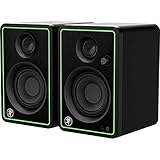
- Professional studio-quality sound
- Front-facing headphone jack auto-defeats speaker output
- Flexible inputs - 1/4”, 1/8”, and RCA
The Mackie CR3-X studio monitors are an excellent choice for those seeking the best studio monitors under 100 dollars without compromising too much on sound quality. These compact monitors feature a 3-inch woofer and a 0.75-inch silk dome tweeter, providing a balanced frequency response suitable for small rooms and home studios. Their front-firing bass port allows for flexible placement, even close to walls, which is ideal for limited desk space or untreated rooms.
Despite their budget-friendly price, the CR3-X monitors deliver clear mids and highs, making them suitable for checking mixes and casual listening. They offer multiple input options including balanced TRS and unbalanced RCA, allowing easy connection to various audio interfaces and devices. The build quality is solid for the price, with a sleek design that fits well in most studio setups.
While the bass response may not be as deep or powerful as larger monitors, the Mackie CR3-X is a reliable option for beginners and those on a super tight budget who want to experience accurate sound reproduction beyond typical computer speakers or headphones. For enhanced low-end monitoring, pairing them with a subwoofer or using them in a treated room can further improve the listening experience.
Mackie CR3-X stands out as one of the best cheap studio monitors, offering great value for money and a flat frequency response that helps users make informed mixing decisions without needing to spend more money on higher-end gear.
Ortizan C7 Dual-Mode 2.0 Studio Monitors

- 【Multiple INPUTS】The stereo speakers home audio is built with RCA which...
- 【HIFI BOOKSHELF SPEAKERS】The built-in 24-bit DAC captures digital audio...
- 【3.5 INCH CARBON FIBER SPEAKER AND 0.75inch SILK DOME TWEETER】The...
The Ortizan C7 Dual-Mode 2.0 studio monitors are a versatile option for those seeking quality sound on a budget. These monitors feature a dual-mode design, allowing users to switch between different sound profiles tailored for mixing or casual listening. This flexibility makes them suitable for a range of audio tasks, from detailed music production to everyday playback.
Equipped with 7-inch woofers and a 1-inch silk dome tweeter, the C7s deliver a wide frequency response that covers much of the audible spectrum, providing clear highs and solid bass response. Their dual-mode capability lets you expect a balanced sound during critical listening sessions, while also offering a more relaxed, enjoyable tone for casual use.
The build quality of the Ortizan C7 monitors is robust, with a stylish yet functional design that fits well in both home studios and desktop setups. They include front-firing bass ports, which help in positioning the monitors closer to walls without compromising the low frequencies. This feature is particularly beneficial in smaller rooms or untreated spaces where placement flexibility is limited.
Connectivity options are comprehensive, including balanced XLR and TRS inputs, as well as unbalanced RCA inputs, making these monitors compatible with a wide range of audio interfaces and devices. This versatility ensures that most people can integrate the Ortizan C7 monitors into their existing setups without hassle.
Conclusion
Finding the perfect studio monitors under 100 dollars doesn’t mean sacrificing sound quality or essential features. With the right balance of accurate frequency response, thoughtful placement, and a bit of room treatment, even budget-friendly monitors can reveal every detail in your mix, helping your music shine with clarity and confidence. Whether you’re just starting out or refining your setup, great sound is within reach without breaking the bank.
FAQ
Should I choose active or passive studio monitors?
Active studio monitors, with built-in amplifiers, are generally the best choice for most home studios and budget setups due to their ease of use and cost-effectiveness. Passive monitors require an external amplifier, which adds complexity and expense, making them less practical for beginners or those on a tight budget.
How important is the size of the woofer in budget studio monitors?
Woofer size directly impacts the monitor’s ability to reproduce low frequencies. Larger woofers (around 5 inches or more) provide better bass response and louder output without distortion. However, smaller woofers (3.5 to 4 inches) can be advantageous in small or untreated rooms by minimizing bass buildup and standing waves. Choose based on your room size and acoustic treatment.
How should I position my studio monitors for the best sound?
Proper placement is key to accurate sound. Arrange your monitors and listening position in an equilateral triangle, with tweeters at ear level. Avoid placing rear-ported monitors too close to walls to prevent bass distortion; front-ported monitors can be easier to position in tight spaces. Acoustic treatment enhances the overall monitoring accuracy.
Do I need a subwoofer with budget studio monitors?
A subwoofer can help monitor very low frequencies, especially important for bass-heavy music genres like hip hop and electronic. However, many budget monitors cover low frequencies adequately for small rooms, so a subwoofer may not be essential initially, particularly when working within a tight budget.
What connectivity options should I look for in budget studio monitors?
Look for monitors with balanced XLR or TRS inputs to reduce noise and interference. RCA inputs are also common and allow connection to consumer devices. Ensure the monitor’s inputs match your audio interface or computer outputs. Some budget monitors may offer USB or Bluetooth connectivity for added convenience, but balanced analog inputs are preferred for professional setups.